Your CueSportAi account — sign up and get started
One CueSportAi account works everywhere: on the website (cuesportai.com), in the CueSportAi app and at AI box tables in clubs. With an account your matches, breaks and ratings are saved on your profile, and you can join your club, stream and follow rankings.
You don't need an account just to score a match in the app. You need one to put matches online and keep your stats.
1. Sign up
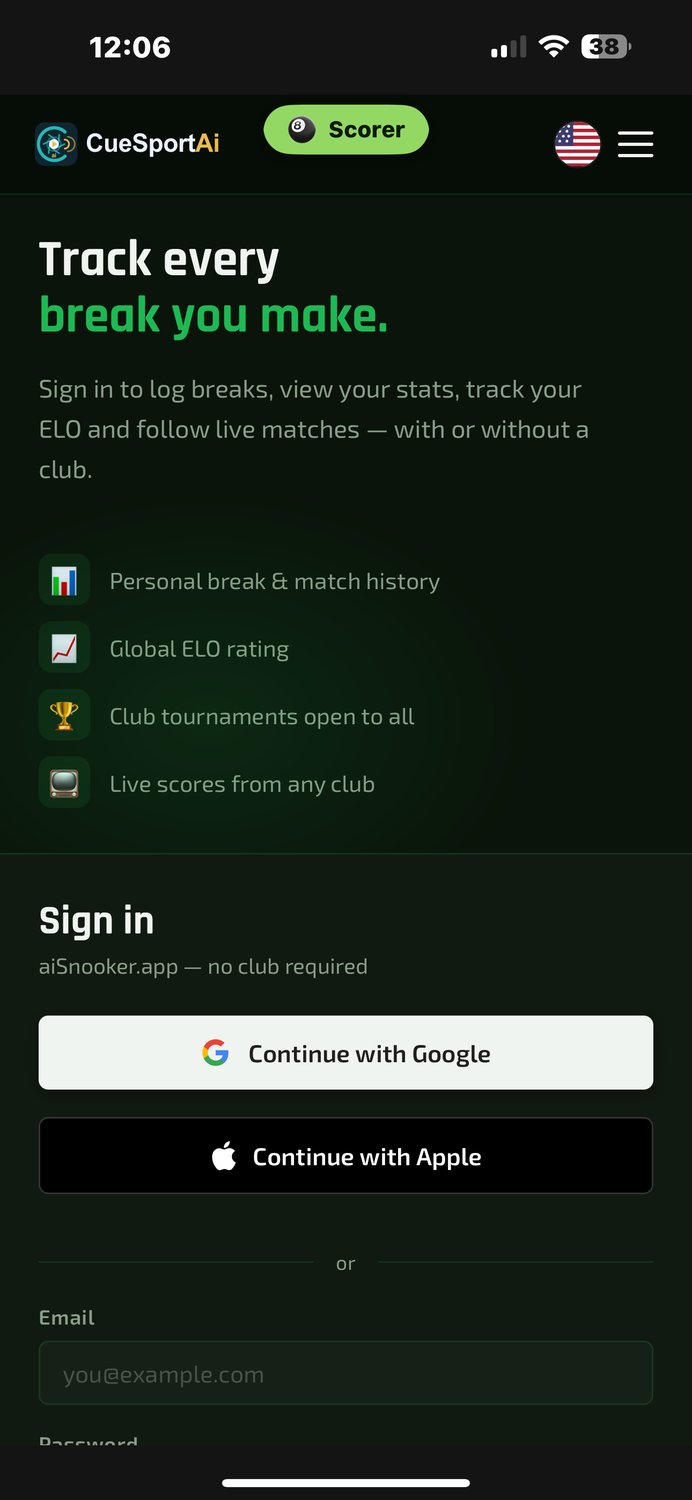
Open app.cuesportai.com (or the app) and tap Register free on the sign-in page. Choose one way to sign up:
| Way | What happens |
|---|---|
| Continue with Google | Your email comes from Google. Fill in your display name and country, and you are signed in straight away. |
| Continue with Apple | The same as Google. Apple may give us a private relay address (…@privaterelay.appleid.com) instead of your real email. That is fine: always sign in with Apple again. |
| Email and password | Fill in the form, then confirm your email (see below). |
The sign-up form
- Display name: the name shown on scoreboards and in results. Use the name people know you by at the club.
- Country (it starts on United States: change it if you live elsewhere).
- Email and password (at least 8 characters), only when you sign up with email.
- Optional: state or province, city, time zone, language, phone, your typical highest break, your FargoRate, your home club and a club join code if your club gave you one (it asks the club to accept you as a member, see section 4).
- Tap Create account.
Signing up with email
- We send you a confirmation email. Open it and tap the link within 48 hours.
- Your account is then ready: sign in with your email and password.
Tip: Google and Apple sign-ups need no confirmation email. They are the quickest way in.
2. Sign in
- Open the sign-in page and choose Continue with Google, Continue with Apple or your email and password. Always use the same way you signed up.
- Keep me signed in is ticked by default: you stay signed in on that device for 90 days, renewed each time you use it.
- To sign out, open the menu and tap Sign Out.
Forgot your password?
- On the sign-in page tap Forgot?.
- Enter your account's email address and tap Send reset link.
- Open the email and tap Choose a new password. The link works once, for 1 hour.
- Type the new password twice (at least 8 characters) and save it. Other devices you were signed in on are signed out.
If you signed up with Google or Apple you have no password to forget: just tap that button again. (You can still use Forgot? to add a password, so you can also sign in with your email.)
Two-step sign-in (optional). Open app.cuesportai.com/2fa.php to add a code from an authenticator app (Google Authenticator, Microsoft Authenticator, 1Password and similar). It is asked for when you sign in with email and password.
3. Your profile
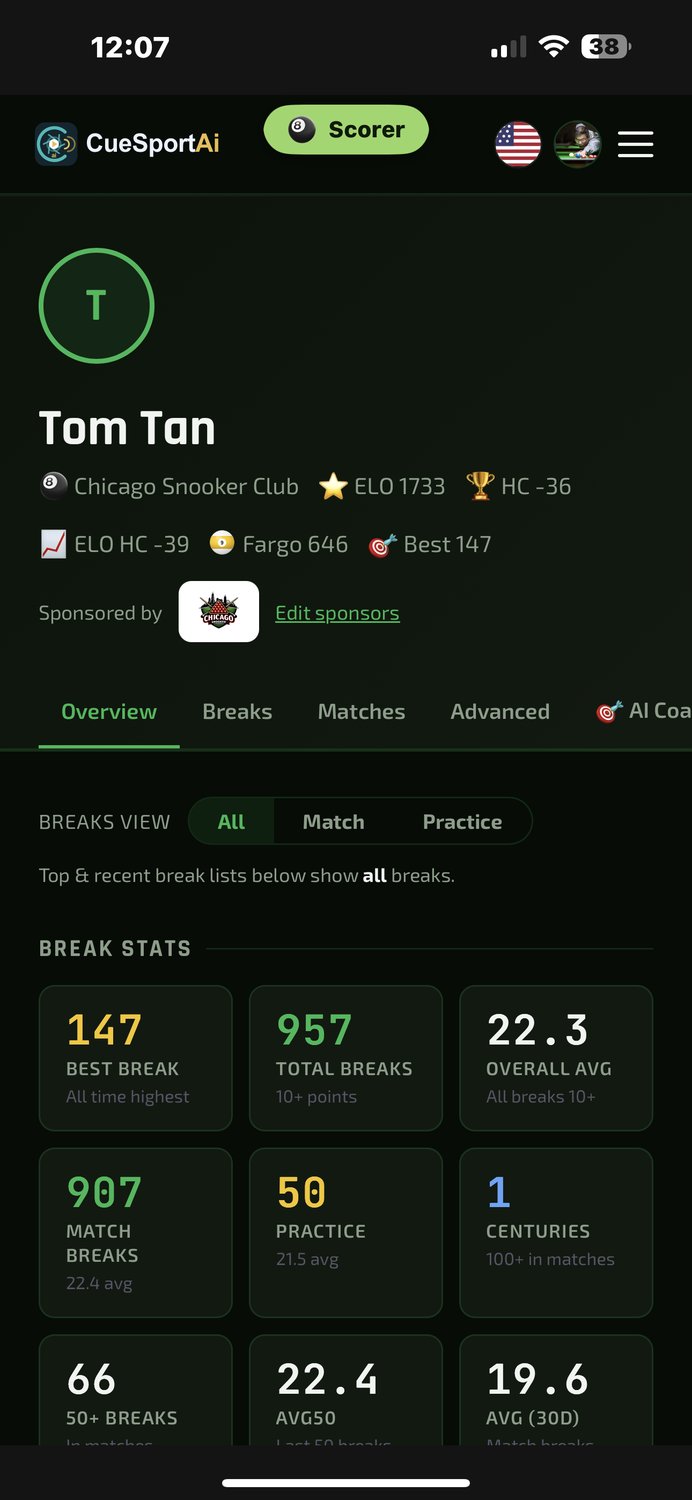
Tap your name (top right on the website, top left in the app) to open Profile.
| You can change | Notes |
|---|---|
| Display name | Must be different from other players' names at your club. |
| Photo | JPG, PNG or WebP, up to 4 MB. Shown on scoreboards and your profile. |
| Language and theme | Dark, Light or Match my device. |
| Country, state, city, time zone, phone | Your time zone is used for match times. |
| Typical highest break, FargoRate | Helps clubs set fair handicaps at first. |
| Home club | The club you play at most. |
| About you | Up to 280 characters. |
To change your password, use Forgot? on the sign-in page (section 2). Your email address can't be changed on the website yet: contact support if you need a new one on your account.
4. Join your club
- Find your club on Find a Club (the map and list of venues).
- Ask the club for its join code. Enter it when you sign up, or later on your profile under Join a club and tap Ask to join.
- The club's admins get your request. When they approve it you are a member of the club (it becomes your home club) and we email you. Until then your profile shows Waiting for … to approve your request.
- The club's staff can also add you as a member themselves.
For club owners and admins: requests wait on Admin → Club Membership under Membership requests (your profile's Your club card links there, with the number waiting). Tap Approve or Decline; the player is emailed either way. You get an email for each new request.
Paid club membership. Some clubs sell membership online. Open your profile and tap Become a member (or the club's membership page), choose a plan and pay. You then have a digital membership card on your phone: show it at the counter and staff scan its QR code to see that your membership is active. Members get the club's member prices at the till.
5. Sign in at an AI box table
At a table with a CueSportAi AI box, sign in to the match so the result counts on your profile and rating. There are two ways:
Scan the table's QR code
- Before the match, the player card on the box's screen shows a QR code (staff can also tap Sign in A / Sign in B).
- Scan it with your phone's camera. The code is valid for 5 minutes.
- Sign in if asked, check that the name is yours and tap Yes, that's me →.
- Your name and photo appear on the table. You stay signed in at that table for up to 8 hours.
Or show your own QR code
Your profile has Your scoreboard QR. Hold it up to the box's camera or scanner when asked, and the box puts you on the scoreboard.
Unrated matches. A club can ask players to sign in before a box match counts for ratings. Then the match shows Unrated until a player has signed in, or a staff member has entered the club's Staff PIN on the box. If nobody signed in, the result screen shows a QR code: scan it within 24 hours and tap This was me to claim the match. If a match was put on your name by mistake, the email you get has a Not me link (also for 24 hours).
6. Privacy
Your profile has a Privacy section:
| Setting | What it does |
|---|---|
| Show my stats publicly (leaderboards & profile) | Untick it to leave the players list, break leaderboards and Nice Shots. In Rankings you show as Private player. Your results are still recorded, and your club's staff can still see them. |
| Don't live-stream me | Matches you play in can't be taken live. |
| Don't record or upload my matches to YouTube | No recordings of your matches go to YouTube. |
Signed-in devices on your profile shows how many devices you are signed in on, with Sign out of all other devices.
The full details are in our Privacy Policy (cuesportai.com/privacy).
7. Ratings and handicaps
- Rating (Elo). Everyone starts at 1500. Winning an official match against another member raises your rating, losing lowers it. Beating a stronger player moves it more. Your first 20 official matches move it faster, so new players find their level quickly.
- What counts. Only official matches between two members. Practice, matches against guests and draws don't change ratings.
- Rankings is a separate league table: 3 points for a win, 1 for a draw.
- Handicaps. Your club sets the handicap used in handicap matches. The Handicaps page also shows a suggestion from the players' ratings.
You can see ratings and stats under Players, and your own under My Game.
8. Plans
CueSportAi is free to use. Plus and Pro player plans add extras (for example more streaming options and detailed stats). They will be sold in the CueSportAi app on iPhone and Android; until they launch, every feature is free. If your club has a CueSportAi plan, its members get the Plus stats as part of it.
9. Delete your account
- Open Profile and tap Delete my account at the bottom.
- Enter your password (if your account has one), type DELETE and confirm.
- Your account is deleted straight away.
| Removed | Kept |
|---|---|
| Your email, password, Google / Apple sign-in, photo, phone, bio, location, rating, stream keys and channel connections, sponsors, coach reports, signed-in devices | Matches, breaks and tournament results stay in the club's history under Former player (your opponents' results stay correct). Payment records are kept as the law requires. |
- Online club memberships are cancelled for you.
- A plan bought in the app is not cancelled by deleting your account: cancel it in Google Play (or the App Store) first.
- Club owners, club admins and owners of a CueSportAi box can't delete their own account on the website: email support@cuesportai.com.
10. Common problems
| Problem | What to do |
|---|---|
| Please confirm your email first | Open the confirmation email we sent when you signed up and tap the link (it works for 48 hours). |
| The confirmation or reset email didn't arrive | Check your spam folder. A reset link works for 1 hour; ask for a new one with Forgot?. |
| This link is invalid or has expired | Reset links work once, for 1 hour. Ask for a new one with Forgot?. |
| My club hasn't answered my request | Ask the club's staff to look at Membership requests. |
| Registration closed | Sign-ups are paused for a while. Try again later or contact support. |
| I signed up with Google but now try email | Accounts made with Google or Apple have no password. Use the same button you signed up with. |
| Two accounts by mistake | Contact support; don't delete either one yourself, so your matches aren't lost. |
| This code expired at a table | Ask for a fresh QR code on the box and scan again within 5 minutes. |
| A match on my profile wasn't me | Use the Not me link in the email within 24 hours, or ask the club staff. |
| My name is taken | Display names must be different within a club. Add an initial or a nickname. |